
PhotoDirector: AI Photo Editor
Cyberlink CorpPhotography
4.223.74K Reviews
- Version
- 20.15.1
- Installs
- 50.00M
- Age Rating
- Everyone
Screenshots
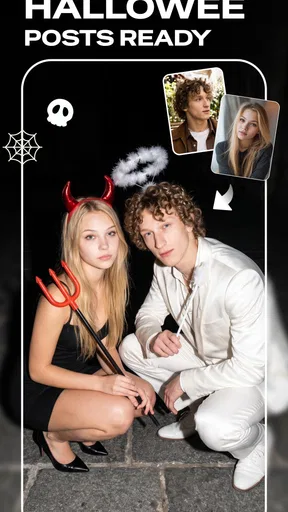

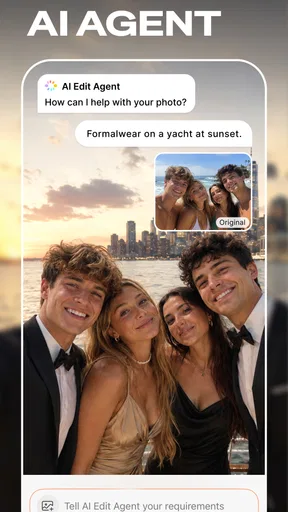
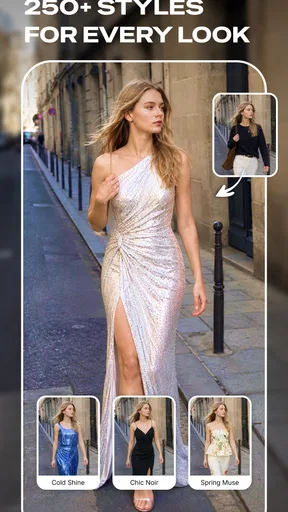
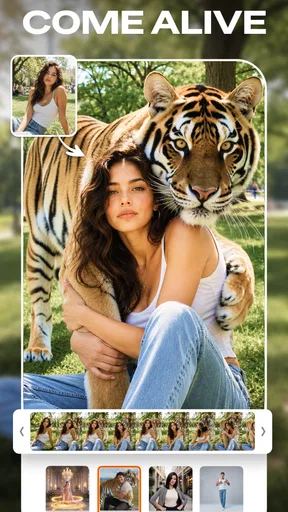
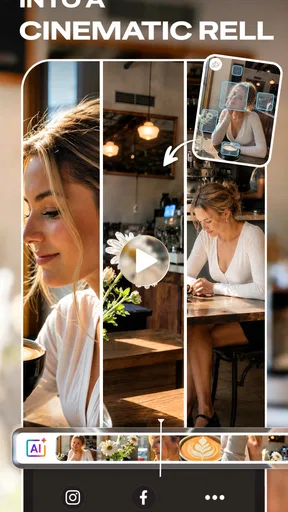
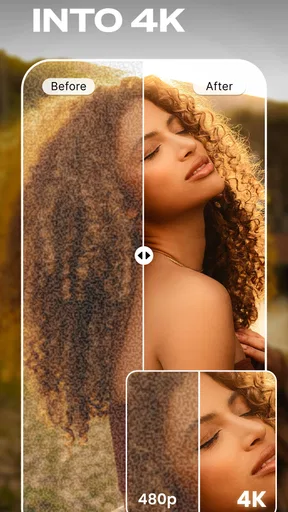
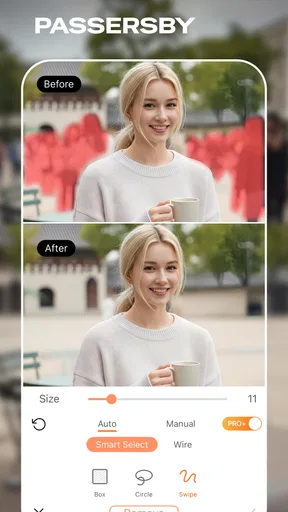
Our Review of PhotoDirector: AI Photo Editor
 Analysis by Appyee
I usually reach for a photo editor when a picture is worth keeping but not quite ready to share: the framing is right, yet a distraction, flat color, or awkward light pulls my attention away. PhotoDirector: AI Photo Editor is built for that kind of quick rescue as well as more playful experiments. I found it most useful when I had a clear idea of what I wanted to change, but didn’t want to move the image to a desktop editor just to make one adjustment.
Choosing the right photo before editing
My best results started with a reasonably sharp original and one specific goal. AI editing can help clean up a busy background or give a dull scene more character, but it cannot reliably restore detail that was never captured. I would pick the strongest frame first, then decide whether it needs a correction, a creative treatment, or both. That small bit of restraint makes it easier to tell when an edit is improving the photograph rather than simply adding effects.
A practical example is a family snapshot taken outdoors. I might keep the people and composition as they are, remove a distracting object near the edge, and make a modest color adjustment. If the picture is meant to feel like a memory, I would stop there rather than pile on filters or motion. For a social post, I might experiment more. The useful distinction is deciding who the picture is for before I start editing.
A phone-first editing workflow
PhotoDirector is a photography app from Cyberlink Corp, and its broad toolset suits people who want several kinds of edits in one place. I would begin with the simplest correction that addresses the problem, inspect the whole image, and only then move to a more noticeable effect. A cleanup tool can draw attention to itself if the surrounding texture is complicated, so I zoom in to check the edited area and then zoom back out to judge whether it still looks natural.
That zoom-and-review habit is especially helpful with object removal. A clean patch in a plain sky or smooth wall is an easier edit than a patch across hair, patterned fabric, or a crowded shoreline. If the result looks smeared or repeats nearby details, I would undo it, try a smaller selection, or keep the object rather than force a poor repair. AI removal is a time-saver, not a guarantee that every background can be reconstructed invisibly.
Moving from correction to creative choices
Once the main distraction is handled, I like to compare the image with and without a filter or color effect instead of judging the edited version by itself. A strong effect can look exciting at first and still compete with the subject. The color pop and glitch options are better treated as deliberate stylistic choices than as routine finishing steps; they suit a playful post more than a quiet portrait or a photo I want to keep looking natural.
The animation tools also change the purpose of a still image. Adding movement to water or clouds can make a post feel more lively, but it is not necessarily an improvement for every photo. I would use that treatment when the movement supports the scene, then check how the result looks in the context where I plan to share it. If I only need a straightforward crop, exposure adjustment, or consistent batch of edits, a simpler editor may be quicker and less distracting.
How it fits into a wider photo routine
I see this app as a convenient middle ground between a basic phone editor and a more involved desktop workflow. The built-in editor on a phone is often enough for a quick crop or small tonal correction; PhotoDirector makes more sense when I want to try object removal, stylized effects, or animated results without switching tools. A desktop editor remains a better choice when I need precise control across many images, a repeatable professional process, or careful work on complex edges.
There is also a handoff to consider: the edit is only one part of getting a picture ready. I would keep an untouched original when I may want a natural version later, and review the finished image at the size it will actually be seen. A flaw that is hard to notice while zoomed in may stand out in a small social preview, while a subtle adjustment can disappear there. Thinking about the final destination helps me avoid spending time on details that will not show.
First Impressions
From the moment you fire up PhotoDirector: AI Photo Editor, the clean and intuitive interface makes you feel right at home. It's like the app is saying, "Hey, let's make something amazing together!" There’s no steep learning curve here, just a straightforward layout that’s easy to navigate. You can jump right into editing without feeling overwhelmed, which is a huge win in my book.
Features Galore
One of the first things I noticed is just how packed this app is with features. Whether you're looking to do a quick touch-up or an all-out photo overhaul, PhotoDirector has you covered. The AI-powered tools are particularly impressive. The AI Sky Replacement lets you swap out dull skies with beautiful sunsets or dramatic clouds in just a few taps. It's like magic!
The app also offers a nifty AI Object Removal feature. Ever taken a great shot only to find a random photobomber in the background? No problem. This tool lets you remove unwanted objects seamlessly. I tried it on a photo from the beach where a seagull was stealing the spotlight, and it worked like a charm.
Creative Editing Options
For those who love to get a bit artsy, PhotoDirector doesn't disappoint. The app is loaded with filters, effects, and easy-to-use color adjustment tools that let you unleash your creative side. I spent quite some time playing with the glitch effect and the vibrant color pop tool. It’s like having a creative playground right on your phone!
Another standout feature is the animation tools. You can add motion to your photos, making water ripple or clouds drift across the sky. It’s a fun way to bring your images to life and share something unique on social media.
User-Friendly Experience
One thing that really stood out to me while using PhotoDirector is how user-friendly it is. The app’s responsiveness and smooth navigation make photo editing a breeze. You don’t have to be a tech wizard to figure it out, which makes it accessible for everyone. I also appreciated the little tips and tutorials that pop up, guiding you through new features.
And let’s not forget about the regular updates. The developers seem to be constantly improving the app and adding fresh features, which keeps the experience exciting and up-to-date with the latest editing trends.
Cost, compatibility, and who will enjoy it
The app is free to download, so I can try its basic workflow before deciding whether its paid options are worth exploring. It has in-app purchases ranging from $0.99 to $234.99 per item, which is a wide span; I would check what a particular purchase includes rather than assume every tool requires payment or that one purchase unlocks everything. The overall rating is 4.1 from around 946,000 ratings, and it has passed 50 million installs, so it is clearly a well-established choice rather than an obscure experiment.
It is rated for Everyone, and the current version is 20.9.2, with Android 10 as the minimum operating system. Those details matter if you are using an older phone: check compatibility before planning your editing routine around it. I would recommend it most to casual creators, travelers, and people who regularly make social posts and want creative options alongside practical cleanup. Someone who only crops pictures now and then may be happier with the editor already on their phone.
Where the convenience has limits
The range of tools is appealing, but it can also make the app feel like more than a simple correction tool. If I open it without a clear goal, it is easy to spend time testing effects that do not help the photo. My advice is to decide on one main change, make it, and then stop to compare. That keeps a quick edit from becoming a chain of adjustments that leaves skin, skies, or colors looking artificial.
There is a practical trade-off between speed and precision. AI-assisted edits can be convenient for an isolated distraction, while careful manual work is still better when the edge of a subject matters or the background is visually complicated. Likewise, a dramatic sky swap may suit a clearly imaginative image, but it can feel out of place in a photo meant to document a real event. I treat those tools as creative choices, not automatic fixes.
A good fit, but not for every photographer
If I wanted to prepare a quick birthday-photo post, I could choose a frame, remove a small background distraction, adjust the color, and decide whether a filter adds anything. I would save a restrained version for family and perhaps a more playful one for a social feed. That is where having cleanup and creative effects together is useful: I can take the image from rough to shareable without turning the task into a desktop project.
On the other hand, photographers handling a large set of images or needing exact, repeatable control may prefer a more specialized editor. PhotoDirector is better suited to individual pictures and expressive experiments than to a meticulous production workflow. If you need only a basic crop, the extra choices may slow you down; if you want highly controlled retouching, its approachable design may not offer the depth you expect from a dedicated professional tool.
The Verdict
After spending some quality time with PhotoDirector: AI Photo Editor, I can confidently say it's a powerful yet approachable app for anyone looking to elevate their photography game. Whether you’re fixing up a selfie or crafting your next Instagram masterpiece, the app offers a rich set of tools that cater to all your editing needs.
If you’re like me and enjoy tweaking your photos until they’re just right, or even if you’re a beginner looking to dabble in photo editing, give PhotoDirector a try. It’s a delightful companion for your photographic journey, turning ordinary snaps into extraordinary ones.
Verdict
Strengths of PhotoDirector: AI Photo Editor
- Intuitive interface for easy editing.
- Wide range of AI-powered tools.
- High-quality export options.
- Frequent updates with new features.
- Supports RAW file editing.
Limitations of PhotoDirector: AI Photo Editor
- Some features require in-app purchases.
- Occasional lag with high-res images.
- Limited cloud storage options.
- Ads in the free version.
- No desktop sync available.
Other Releases by Cyberlink Corp
View All
PowerDirector - Video Editor
Video Players & Editors4.2

ActionDirector - Video Editing
Video Players & Editors4.5
Similar Picks in This Category
View All
Google Photos
Google LLC4.4

Gallery
Google LLC4.2

Picsart AI Photo Editor, Video
PicsArt, Inc.3.9

B612 AI Photo&Video Editor
SNOW Corporation4.1

BeautyPlus-Selfie Photo Editor
PIXOCIAL TECHNOLOGY (SINGAPORE) PTE. LTD.4.5

Remini - AI Photo Enhancer
Bending Spoons4.1
You May Also Like
View All
Frequently Asked Questions
What features does PhotoDirector: AI Photo Editor offer?
PhotoDirector provides a comprehensive suite of features for photo editing, including AI-powered tools for enhancing images, removing unwanted objects, and adding creative effects. It also offers filters, stickers, and animation options. The app is designed to be user-friendly, making it suitable for both beginners and advanced users who want to enhance their photos quickly.
Is PhotoDirector free to use, or does it require a subscription?
PhotoDirector offers a free version with basic editing features. However, to access premium tools and additional content, such as advanced AI features and exclusive effects, a subscription is required. This subscription provides an ad-free experience and unlocks the full potential of the app, offering more flexibility in photo editing.
How does the AI technology in PhotoDirector enhance photos?
The AI technology in PhotoDirector analyzes images to automatically enhance them by adjusting lighting, color balance, and sharpness. It can also remove objects and add realistic effects. This technology simplifies the editing process, allowing users to achieve professional-quality results with minimal effort, making it ideal for quick edits.
Is PhotoDirector suitable for professional photographers?
While PhotoDirector is user-friendly and accessible for beginners, it also offers advanced features that professional photographers can appreciate. The AI tools provide quick enhancements, and the app supports high-resolution images. However, professionals might find it more suitable for on-the-go edits rather than replacing full desktop editing software.
Can I share edited photos directly from PhotoDirector to social media?
Yes, PhotoDirector allows users to easily share their edited photos directly to social media platforms like Instagram, Facebook, and Twitter. This seamless integration is convenient for users who want to showcase their creations instantly, making it a great tool for social media enthusiasts and influencers who need quick access to shareable content.
